(Cross-posted with some modifications from the TrueNAS Forums: [NVMe over TCP] Adding a Namespace: zVol or File? What is a "File?" - TrueNAS General - TrueNAS Community Forums)
I’m working on getting my first NVME-over-TCP share set up using the official docs and the excellent guide by imvalgo over at Getting Started with NVMe over TCP on the TrueNAS Forums; It didn’t take me long to run into something I don’t understand. 
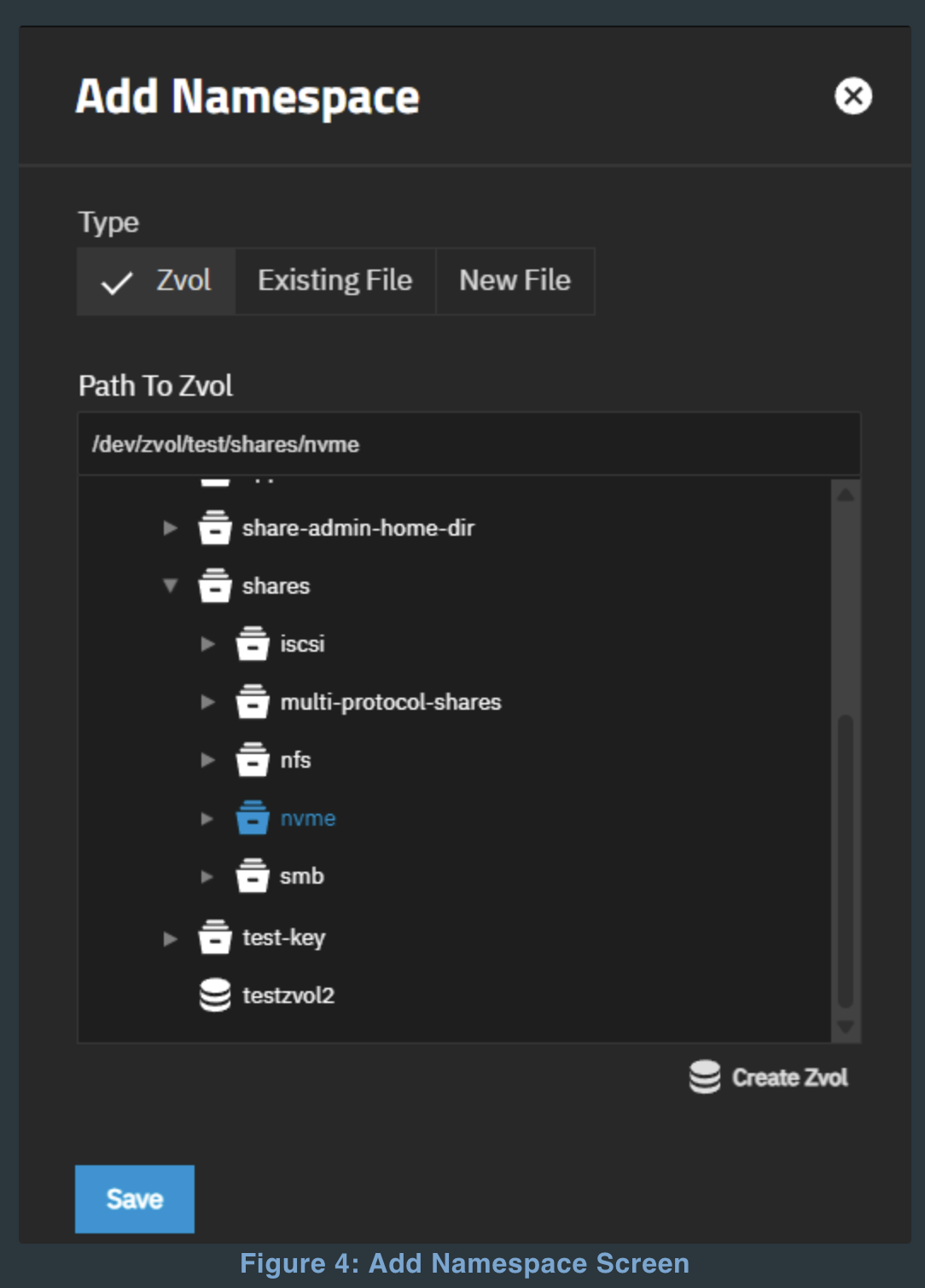
This is the window I’m looking at:
I’m used to using zVols as backing storage for iSCSI, but what is a “[New | Existing] File?”
I assume these are raw files, whose performance is tied to recordsize instead of volbocksize, but that’s completely a guess. I’m aware that raw files can be used as a backing storage for VMs, but I’ve never actually seen it implemented anywhere.
EDIT: They are raw files. See first reply to this thread.
Has anyone experimented with this yet? I’m going to poke at it a bit more and will report anything interesting I learn.
My big question here is when/why to choose the raw file storage method over a zVol. Or rather, given how thoroughly @mercenary_sysadmin has demonstrated that zVols are rarely desirable, when to stick with a zVol over a raw file. Unless there’s some sort of reliability/performance hit, I’d think the raw file (and the inherent flexibility of recordsize vs volblocksize) would be ideal for VM-related uses.
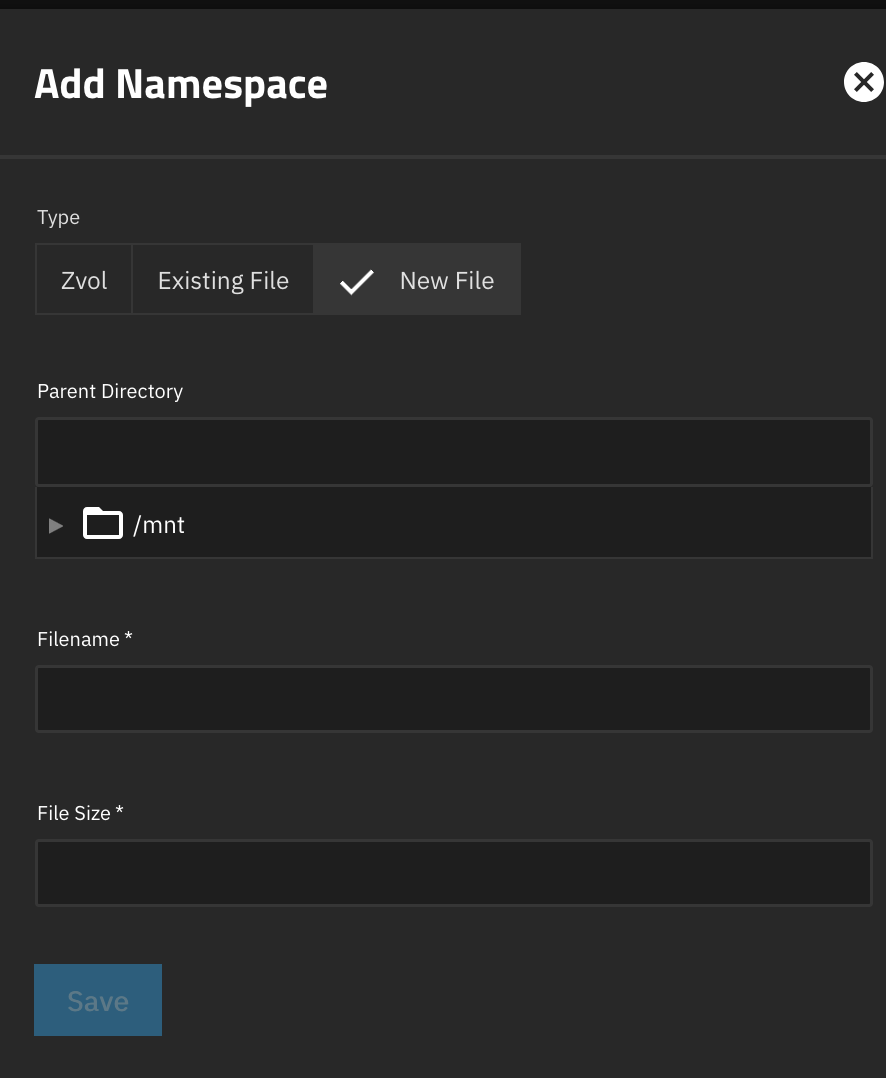
This is what it looks like when you try to create a new file as a “namespace” (the equivalent of using a zVol to back an iSCSI share, I think).
No units on the file size, and the documentation doesn’t specify, but trying “4096” gave me a 4 GB file. “4 T” gave me a 4 TB file, so the usual TrueNAS conventions apply.
EDIT: They’re also clearly not thin-provisioned. Whatever size you give it will be reserved.
Otherwise, it looks like a normal file with a recordsize and no volblocksize, so nothing weird there.
vectorsigma /mnt/Tank/RemoteSystemsHDD/RetroNAS/64kRS% ls -lah
total 2.0K
drwxr-xr-x 2 root root    4 Feb 10 21:04 .
drwxr-xr-x 3 root root    3 Feb 10 20:53 ..
-rw-r--r-- 1 root root 4.0G Feb 10 20:59 retronasHDD-64k
-rw-r--r-- 1 root root 4.0T Feb 10 21:04 retronasRawHDD
vectorsigma /mnt/Tank/RemoteSystemsHDD/RetroNAS/64kRS% zfs get recordsize Tank/RemoteSystemsHDD/RetroNAS/64kRS
NAME                                  PROPERTY    VALUE    SOURCE
Tank/RemoteSystemsHDD/RetroNAS/64kRS  recordsize  64K      local
vectorsigma /mnt/Tank/RemoteSystemsHDD/RetroNAS/64kRS% zfs get volblocksize Tank/RemoteSystemsHDD/RetroNAS/64kRS
NAME                                  PROPERTY      VALUE     SOURCE
Tank/RemoteSystemsHDD/RetroNAS/64kRS  volblocksize  -         -
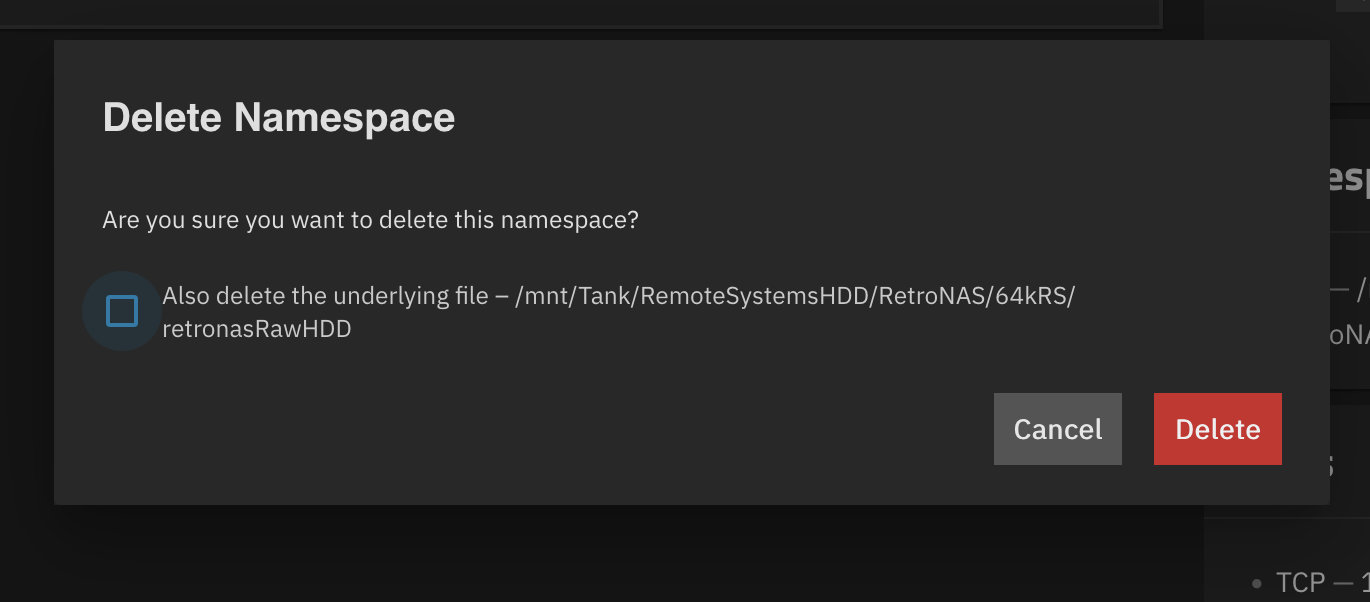
I deleted the namespace backed by the 4 GB file, but the 4 GB file stayed in place, so that’s something to keep in mind.
EDIT 2: Thinking about it a bit more, that’s definitely the correct default behavior. I’m likely to want to delete the share but keep the data more often than I want to delete the share and the data.
But there is an option for that, too: